Build WhisperTrack

Getting Started
Prerequisites
- Docker
Build
-
Clone the repository:
git clone https://github.com/Delresearch/WhisperTrack-Software.git cd WhisperTrack-Software git submodule update --init --recursive -
Build the Docker image:
cd docker docker build -t whispertrack . -
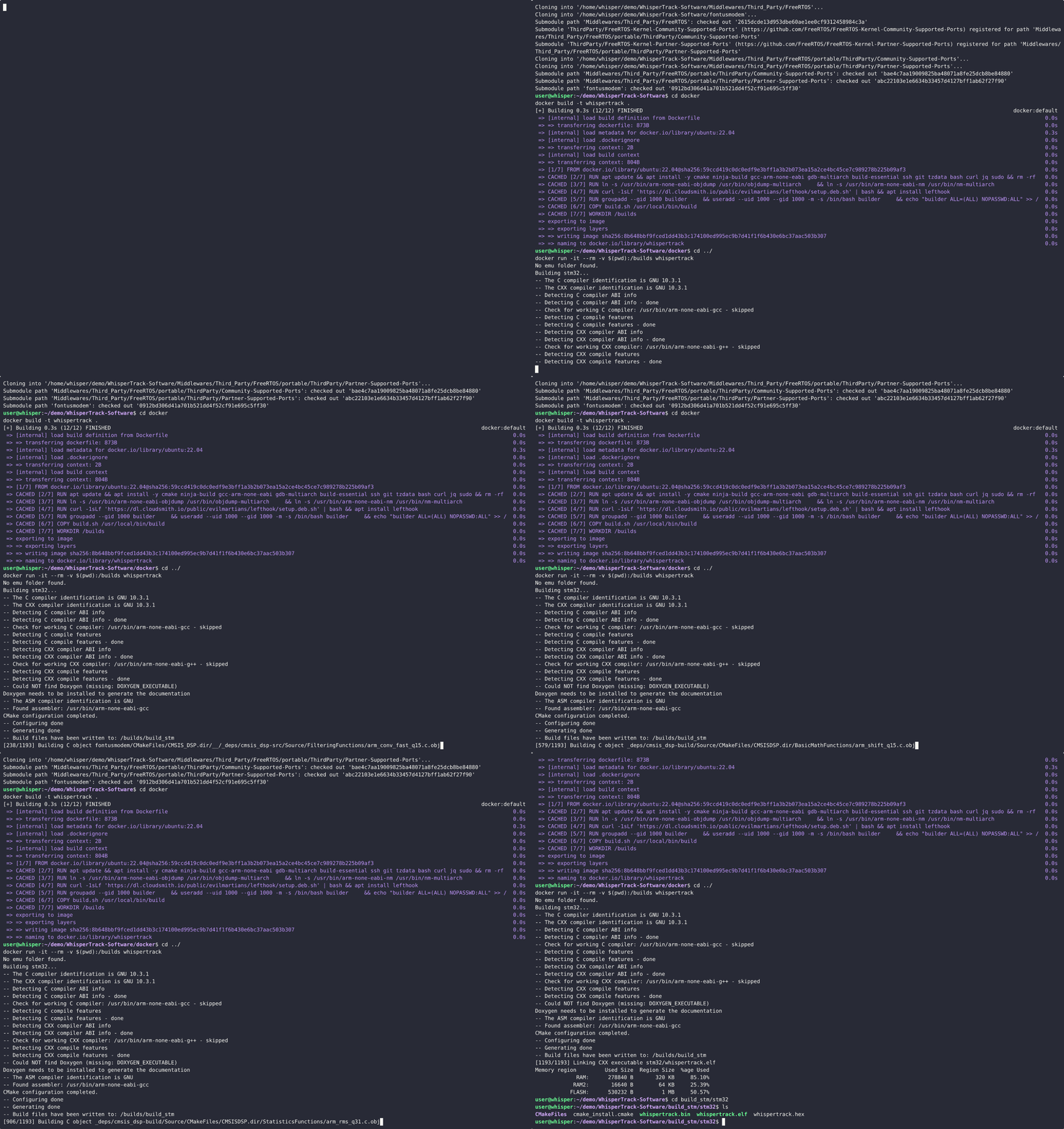
Build the application:
cd ../
docker run -it --rm -v $(pwd):/builds whispertrack
After the build completes, you will find the built application in the build_stm/stm32 directory. You can then flash it to your STM32 device using your preferred method.
Development
To help with development, we provide a Dockerfile and a .devcontainer that set up a development environment with all the necessary dependencies. This allows you to work on the project without needing to install all dependencies on your local machine.
Prerequisites
- Docker
- VSCode
- Dev Containers extension for VSCode
- J-Link software installed on your host machine (only needed for debugging in vscode).
Development Environment Setup
-
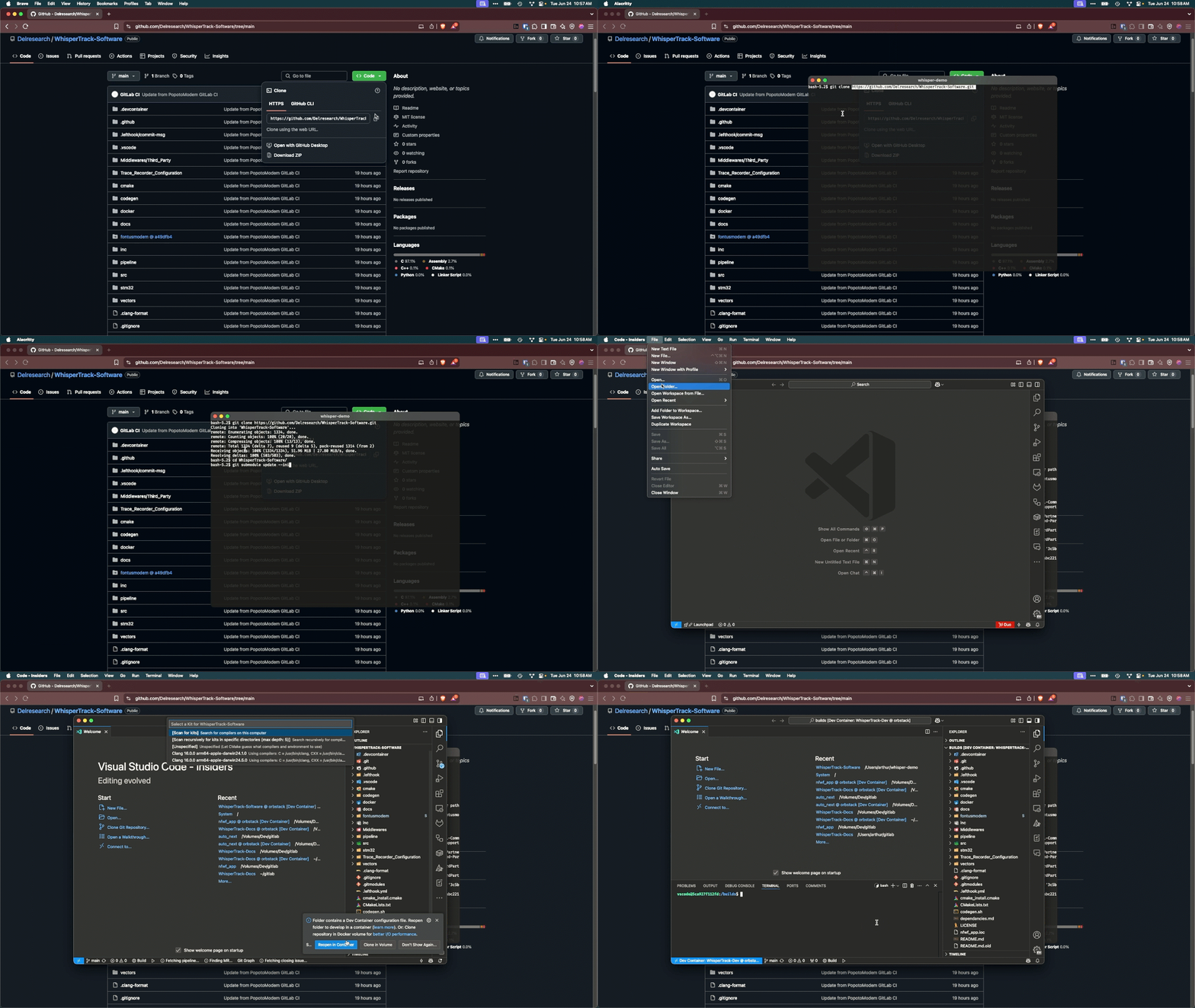
Clone the repository:
git clone https://github.com/Delresearch/WhisperTrack-Software.git cd WhisperTrack-Software git submodule update --init --recursive -
Open the project in VSCode.
- You will be prompted to reopen the project in a container. Click "Reopen in Container".
- If you are not prompted, you can manually open the command palette (Ctrl+Shift+P on Windows or Command+Shift+P on MacOS) and select "Dev Containers: Rebuild and Reopen in Container".
Debugging
To debug the application, you need to run a gdb server using a Segger j-link device and software. Download the J-Link software and install it on your host machine. Then, run the following command to start the gdb server:
JLinkGDBServer -if swd -port 50000 -swoport 50001 -telnetport 50002 -device STM32L496VG
Waiting for GDB connection...
Note
If your device is not flashing, you may need to . You can do this using the JLinkSTM32 utility in the cli then selecting 18 from the list or use the JFlashLite gui application and select Erase Chip.
More information
For more information on how to use the WhisperTrack software, please refer to the WhisperTrack website.
License
This project is licensed under the MIT License - see the LICENSE file for details.